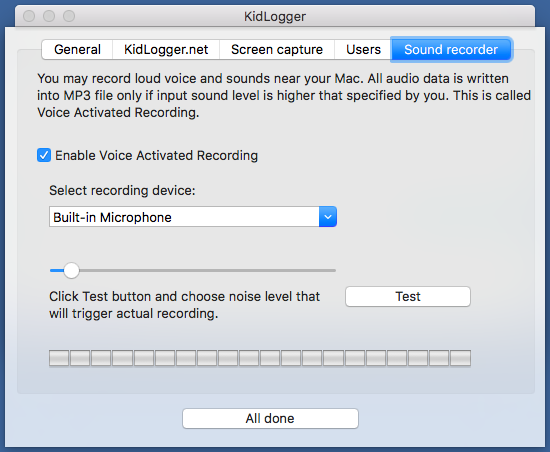
New Kidlogger applicaiton for MAC OS with sound recording
We have published a new version of Kidlogger application for MAC OS X. Now it records surrounded sound. There were added a new tab in settings. Now sound recording begins when its volume reaches a predefined threshold.
Click Enable Voice recording and select a microphone device. Install a threshold, using the slider. Usually it is recommended to put it on 20-30 percent. Perform a test recording.
If the level of recorded sound is good, click All done and start the moniroting.
Note: audio files storing requires a place on server, so we recommend you to have Standard or Professional account.
כאן תוכל למצוא מדריכים, מאמרים והודעות על KidLogger SAS: אילו תכונות חדשות הוספנו, כיצד להתקין את KidLogger וכיצד להגדיר מעקב משתמשים לפלטפורמות שונות כגון Windows, Mac, Android.