KidLogger parental control for Mac. Features and Benefits
KidLogger for macOS is a simple and reliable assistant for parents. It helps you see exactly what your child is doing on the Mac computer, how much time they spend studying, and how much they spend playing games. Keep your child safe online from anywhere in the world.
All features of KidLogger for Mac
Website Visit History
Saves the web addresses of all pages your child opens in Safari, Chrome, Firefox, and Brave browsers.
Automatic Screen Photos
The program periodically takes screenshots of the Mac screen, so you can see what is happening with your own eyes.
Alerts for Forbidden Words
KidLogger takes an instant screenshot whenever your child types an unsafe word from your custom list.
Webcam Photos
Takes photos using the built-in Mac camera to show who is sitting at the computer — your child or their friends.
Typed Text History
Saves everything typed on the keyboard (except passwords). This helps you notice dangerous search queries or chat bullying early.
Microphone Sound Recording
Records room sounds and conversations around the computer using the Mac microphone (available in Professional plan).
App and Game Control
Tracks the names of all open applications and the exact time spent using each of them.
Copied Text History
Saves clipboard history so you can see everything your child copies and pastes on the computer.
Time and Event Tracking
Logs Mac startup and shutdown times, user sign-in/out, as well as desktop locking and unlocking.
All Mac Users Support
Allows you to track activity separately for all user accounts created on the Mac.
Password Protection
Protect the program with a password so your child or unauthorized users cannot change settings or uninstall it.
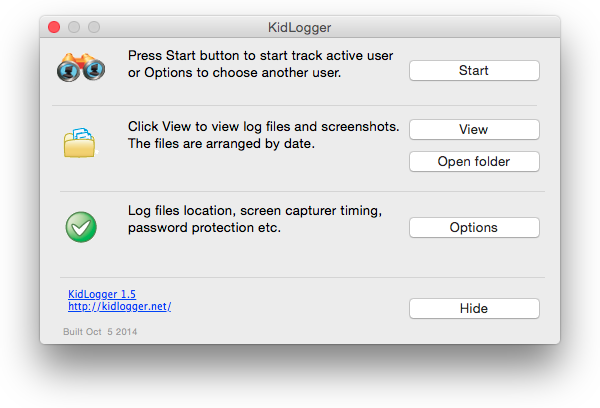
Why parents choose KidLogger for Mac
Easily manage screen time between homework, games, and social media.
Helps protect children from online strangers, cyberbullying, and bad content.
Gives you peace of mind about your child's safety on the internet.
System requirements: macOS 12–13
Easy guide: How to install and set up KidLogger for Mac
Troubleshooting KidLogger for Mac
KidLogger for Mac features by account type
Free
Monitor up to 5 devices
Activity history storage: 18 days
Report storage space: 18 MB
KidLogger Basic Features
Track open apps and games
Website history in Safari, Chrome, Firefox, Brave
Log system events (login, shutdown, screensaver)
Automatic screen photos (periodic)
Password protection against deletion
Support for all Mac user accounts
$17 / 6 months
$29 / 1 year
Monitor up to 5 devices
Activity history storage: 60 days
Report storage space: 400 MB
KidLogger Standard Features
Track open apps and games
Website history in Safari, Chrome, Firefox, Brave
Log system events (login, shutdown, screensaver)
Automatic screen photos (periodic)
Password protection against deletion
Support for all Mac user accounts
Simple summary reports (Apps, Web)
Daily automated email reports (1 per day per device)
Download activity history backup
Priority customer support
$49 / 6 months
$89 / 1 year
Monitor up to 10 devices
Activity history storage: 90 days
Report & audio storage: 1000 MB
KidLogger Professional Features
Track open apps and games
Website history in Safari, Chrome, Firefox, Brave
Log system events (login, shutdown, screensaver)
Password protection against deletion
Support for all Mac user accounts
Simple summary reports (Apps, Web)
Download activity history backup
Priority customer support
Record copied text (clipboard history)
Screen photos triggered by forbidden words
Automatic webcam photos
Record room sound via Mac microphone
Keystroke logging (except passwords)
Multiple email reports per day (up to 5 per day per device)