How do I register with the KidLogger.net service?
I have registered. What is the next step?
How to review user activity logs and reports on KidLogger.net?
How to monitor multiple devices using a single account?
How to set up and send email reports?
How to download a backup copy of uploaded data?
How to pay for a subscription?
How to Download a Copy of Uploaded Data
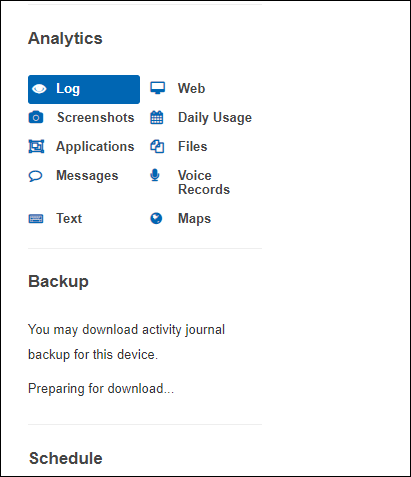
- Users with Standard or Professional profiles can download a backup copy of all uploaded activity logs. You will find a download link for the archive below the analytics table on the device page.

- When creating a backup, the server needs some time to prepare the package. During this process, you will see the message Preparing for downloading.... Once ready, the link Ready to Download will appear.
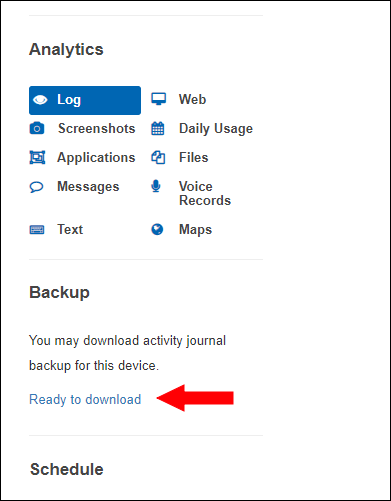
On the download page, you can either download the archive or delete the created backup files.
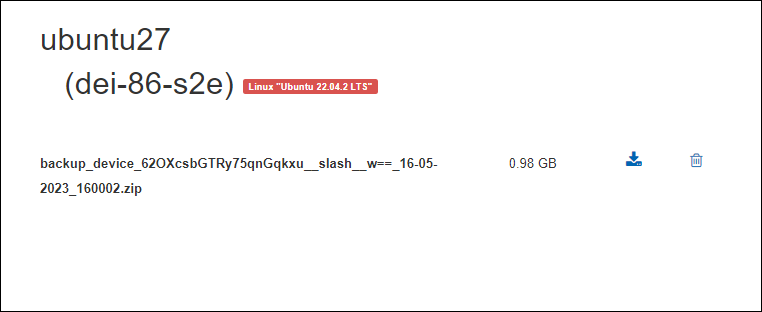
The backup file is stored in your account for 5 days. To create a new backup during this period, you must first delete the old file.